With rising concerns about home security, a smart doorbell camera has become one of the most popular upgrades homeowners consider. But is it actually worth the investment, or just another gadget that ends up unused after a few months?
This guide breaks down the real benefits, potential drawbacks, and practical considerations to help you decide if a smart doorbell camera fits your home security needs and budget.
What Is a Smart Doorbell Camera?
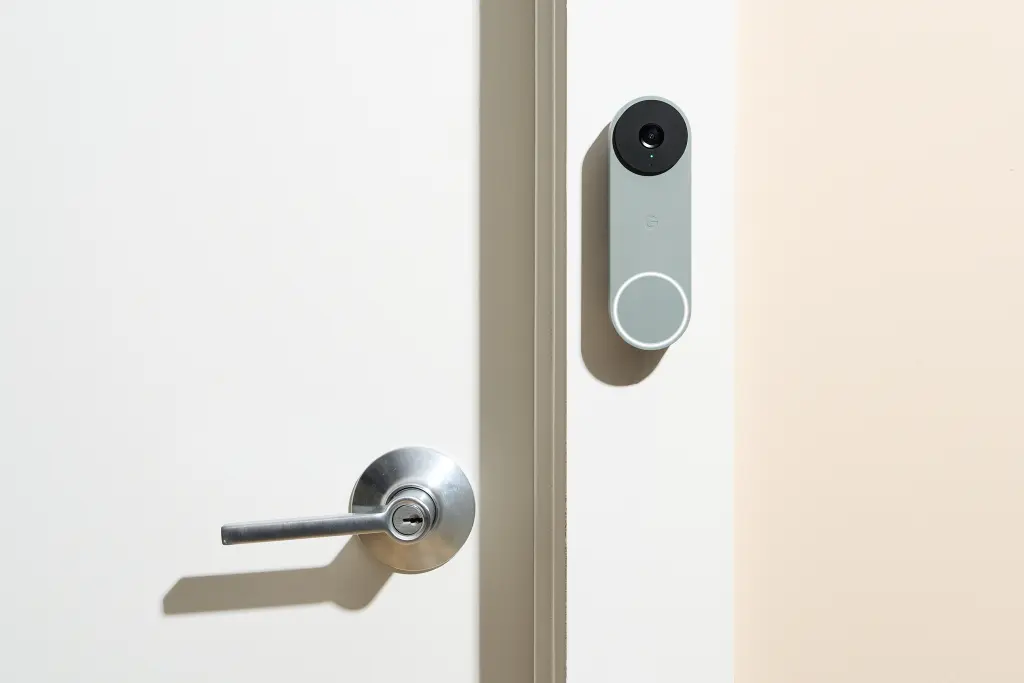
A smart doorbell camera combines a traditional doorbell with a built-in camera, motion sensor, and app connectivity, allowing you to see and communicate with visitors remotely.
Core features typically include:
- Live video streaming to your smartphone
- Motion detection alerts
- Two-way audio communication
- Night vision capability
- Cloud or local video storage options
Understanding these core features helps you evaluate whether the investment aligns with your specific security concerns.
Key Benefits of a Smart Doorbell Camera
For many homeowners, the practical benefits go beyond simple security monitoring.
Major advantages include:
- Remote visibility: See who’s at your door even when you’re not home
- Package theft prevention: Get alerts when deliveries arrive
- Visitor verification: Screen visitors before opening the door
- Evidence recording: Capture footage in case of suspicious activity
- Convenience: Communicate with visitors without physically answering the door
(Internal link suggestion: link to “How to Childproof and Secure Your Home Room by Room”)
For households often away during the day, these benefits alone can justify the investment in a smart doorbell camera.
Potential Drawbacks to Consider
While the benefits are significant, it’s important to weigh a few practical drawbacks before purchasing.
Common limitations include:
- Requires stable Wi-Fi connectivity to function properly
- Ongoing subscription fees for cloud storage in some models
- Battery-powered models need regular charging or battery replacement
- Video quality can be affected by poor lighting or weather conditions
Being aware of these limitations helps set realistic expectations about the device’s performance.
Wired vs Battery-Powered Options
One of the first decisions when choosing a smart doorbell camera is whether to go with a wired or battery-powered model.
Wired smart doorbell cameras:
- Connect to existing doorbell wiring
- Provide continuous power, avoiding battery concerns
- May require professional installation if no existing wiring is present
Battery-powered smart doorbell cameras:
- Easier to install without existing wiring
- Require periodic recharging or battery replacement
- More flexible placement options
(Internal link suggestion: link to “DIY vs Professional Home Improvement: What to Handle Yourself”)
Your choice largely depends on whether your home already has doorbell wiring and how much maintenance you’re willing to manage.
Storage Options: Cloud vs Local Storage
Video storage is a crucial factor that affects both cost and functionality of a smart doorbell camera.
Cloud storage:
- Accessible from anywhere via app
- Often requires a monthly or annual subscription
- Provides backup even if the device is damaged or stolen
Local storage (SD card or hub-based):
- One-time cost with no recurring fees
- Limited storage capacity compared to cloud options
- Footage lost if the physical device is damaged
Understanding these storage differences helps you factor in the true long-term cost of ownership beyond the initial purchase price.
Installation and Setup Considerations
Installing a smart doorbell camera is generally straightforward, but a few factors can affect the process.
Installation considerations:
- Check compatibility with existing doorbell wiring, if applicable
- Ensure strong Wi-Fi signal reaches your front door area
- Consider mounting height and angle for optimal coverage
- Review apartment or society rules if you live in a shared building
For renters or apartment residents, battery-powered models are often more practical since they don’t require permanent wiring changes.
Is a Smart Doorbell Camera Worth It for Your Home?
Whether this investment makes sense depends on your specific situation and priorities.
Good fit if you:
- Frequently receive deliveries or packages
- Are often away from home during the day
- Live in an area with security concerns
- Want remote visibility without a full security system
May not be necessary if you:
- Already have comprehensive security systems installed
- Rarely leave your home unattended
- Have unreliable internet connectivity at your entrance
(Internal link suggestion: link to “Best Home Security Systems for Renters and Homeowners”)
Evaluating your specific lifestyle and security concerns helps determine whether this investment delivers genuine value for your household.
FAQs: Smart Doorbell Camera
1. Does a smart doorbell camera need internet to work? Yes, most smart doorbell cameras require a stable Wi-Fi connection for live streaming and remote alerts.
2. Are smart doorbell cameras difficult to install? Battery-powered models are generally easy to self-install, while wired models may require professional installation.
3. Do smart doorbell cameras have ongoing costs? Some models require a subscription for cloud storage, while others offer local storage with no recurring fees.
4. Can a smart doorbell camera work during power outages? Battery-powered models can continue working during outages, while wired models depend on your home’s power supply.
5. Is a smart doorbell camera enough for complete home security? It’s a helpful addition but works best alongside other security measures rather than as a standalone solution.
6. How long does the battery last on wireless doorbell cameras? Battery life varies by usage and model, typically ranging from a few weeks to a few months per charge.
Conclusion
A smart doorbell camera can be a genuinely worthwhile investment for households that value remote visibility, package security, and visitor screening. However, it’s important to weigh the ongoing costs and connectivity requirements against your specific needs before purchasing.
Key takeaways:
- Consider wired vs battery-powered based on your home’s setup
- Factor in cloud storage subscription costs for long-term budgeting
- Best suited for homes with frequent deliveries or remote monitoring needs
- Combine with other security measures for comprehensive protection
Thinking about upgrading your home security? Evaluate your specific needs first, then compare a few models based on installation type and storage options that fit your budget.